How to play 13-card Indian Rummy online with friends
A walkthrough of a first game on RummyDen, with screenshots from a real table: create a room, invite friends, play your turns and declare.
This guide follows one game from start to finish so you know what you will see on screen. The rules are explained as they come up; for every detail, see the complete rules. RummyDen is free social play: the chips at the table keep score and have no cash value.
हिंदी में पढ़ें: रमी कैसे खेलें (हिंदी में)
Before you start
- Players: 2 to 6. Everyone needs a phone, tablet or computer with a browser — there is no app to install.
- Time: a round takes about 4½ minutes in real games on RummyDen (longer at bigger tables); play as many rounds as your group likes.
- Learning alone? Choose Practice vs bot on the home page to try a few rounds first.
Step 1 — Create a private room
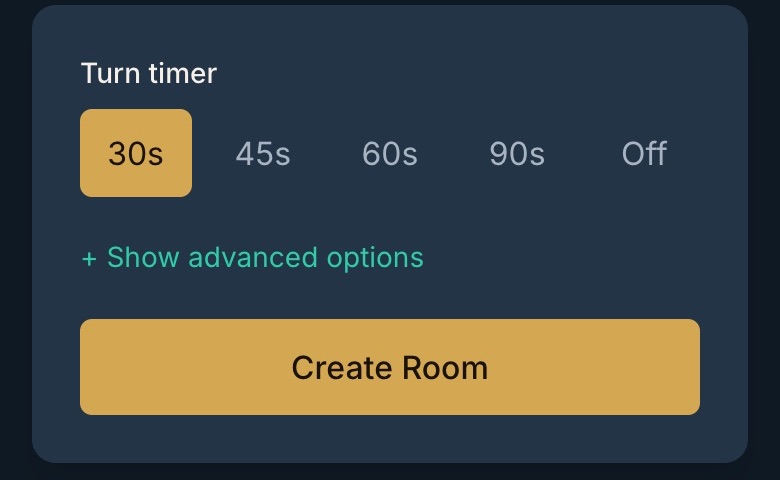
Tap Create Room on the home page and enter a display name — you do not need an account. Every new room is a six-seat Points Rummy table. The only choice you have to make is the turn timer: 30 seconds suits players who know the game; 60 or 90 seconds is kinder for beginners; Off removes the clock entirely. Under Show advanced options the host can also set the score multiplier, drop points and cap, printed jokers, the wild-card marker, guests, chat and spectators, and a skip timer for disconnected players — the rules page lists every option and its default.
Step 2 — Invite your friends
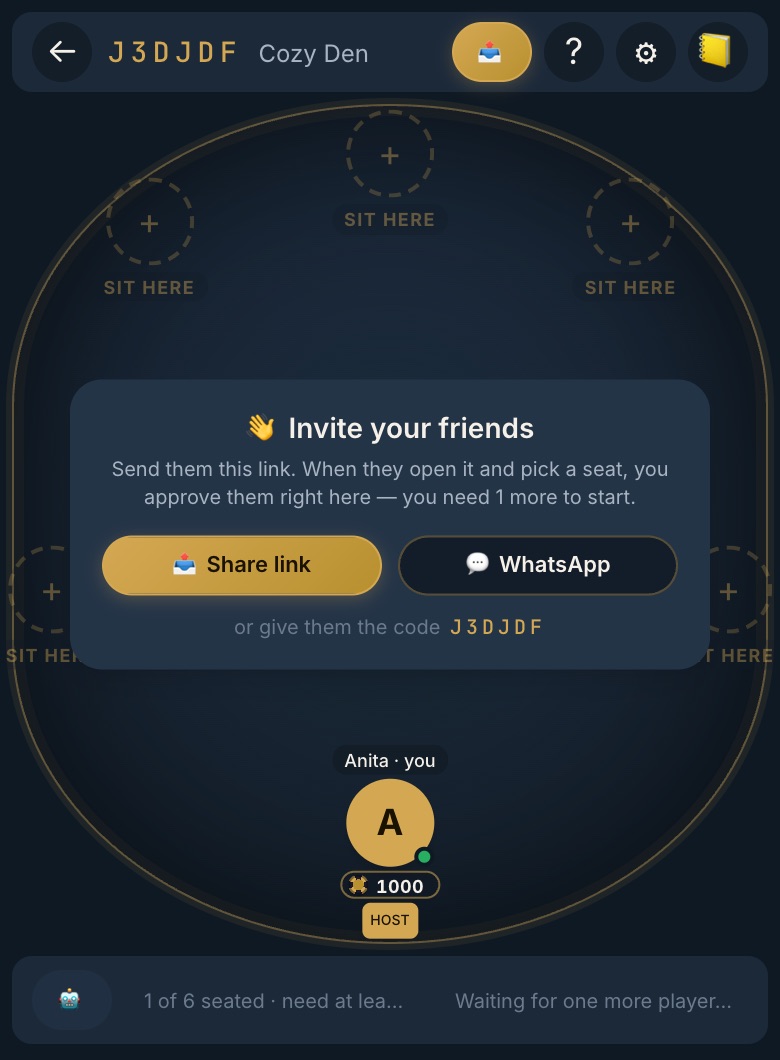
The lobby shows an Invite your friends card. Tap Share link to send it through any app, WhatsApp to open WhatsApp with the invite already written, or tell people the six-character code to type in under Join Room. When a friend opens the link and picks a seat, you approve them from the lobby — nobody is seated without the host's say-so. Once at least two players are seated, the host taps Start game.
Step 3 — Turn your phone sideways
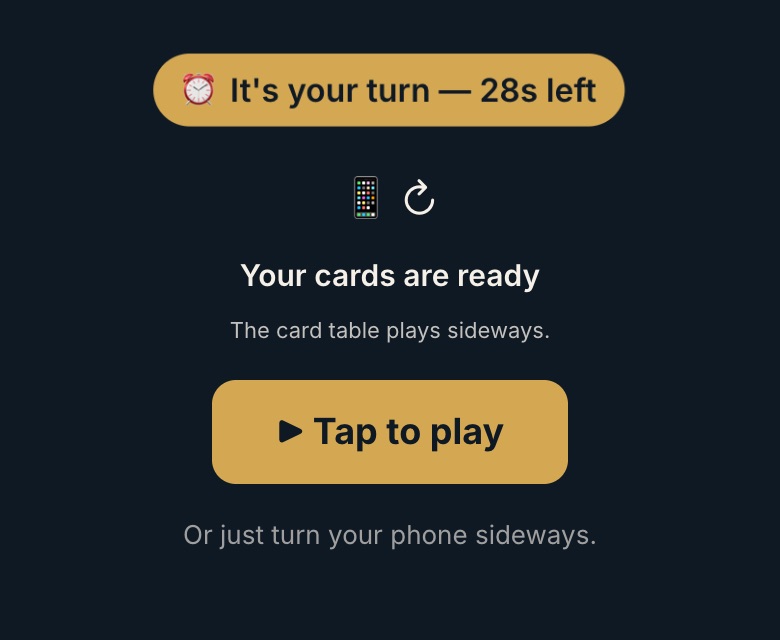
The card table is laid out in landscape. On a phone held upright you will see a Tap to play button: on most Android phones it switches to full screen and turns the table for you. On an iPhone, turn the phone sideways; if the screen does not rotate, switch off rotation lock in Control Center.
Step 4 — Draw, then discard
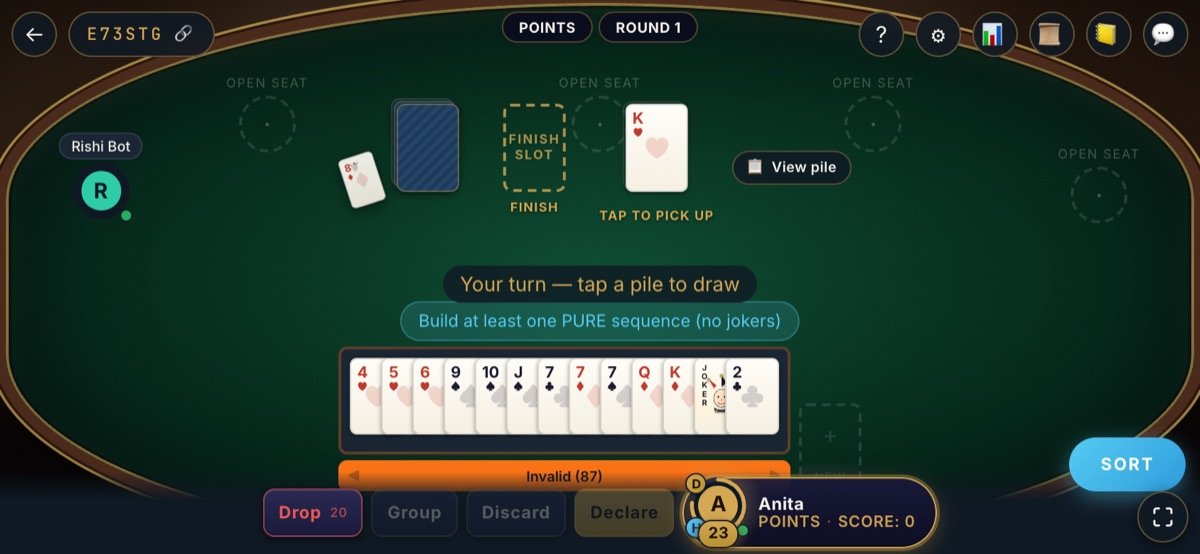
When the message says Your turn, tap a pile to draw: the face-down closed deck or the face-up open pile. You now hold 14 cards, so choose one to give away and discard it to the open pile, and your turn is over. The small card beside the deck shows the round's wild joker — every card of that rank acts as a joker, and the table marks those cards in your hand.
Your timer is shown on your seat. If it runs out before you draw, you are dropped from the round; if it runs out after you drew, the card you drew is discarded for you.
Step 5 — Arrange your cards into groups
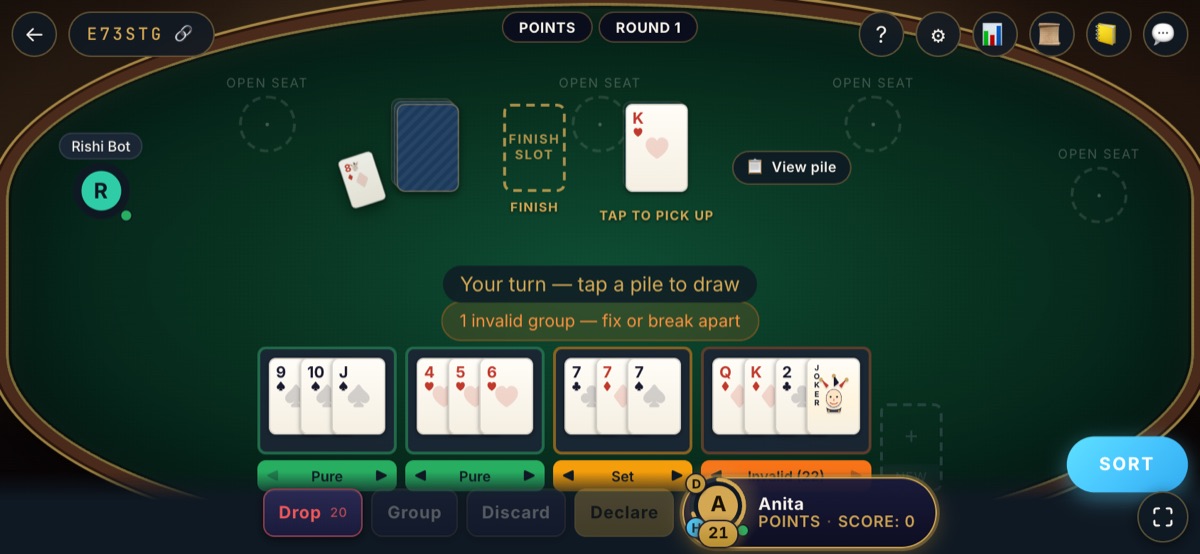
Tap Sort to line your cards up by suit, then drag cards between groups or select several and tap Group. Under each group the table tells you what it is: Pure (a run with no joker), Impure (a run using a joker), Set (same rank, different suits) or Invalid with the points it would cost you. In the hand above, 9-10-J♠ and 4-5-6♥ are pure sequences and 7♣ 7♦ 7♠ is a set. The last group — Q♦ K♦ 2♣ and a joker — is not valid yet: swap the 2♣ for a J♦ or A♦ and it becomes an impure sequence, completing the hand.
What a finished hand looks like
Every declaration needs at least two sequences, at least one of them pure, with all 13 cards in valid groups. For example:
That is 4 + 3 + 3 + 3 = 13 cards. In the free hand checker, tap Load a valid hand to inspect this example, then try Missing pure sequence to see why four complete sets alone cannot be declared.
Step 6 — Declare
When your groups are complete, draw as usual, drag your 14th card onto the finish slot and tap Declare. You get 60 seconds to make final adjustments and submit. If the hand is valid you win the round and score zero; everyone else then arranges their own cards and scores whatever they could not group.
Be sure before you press it: an invalid declaration costs the full 80 points. In real games on RummyDen about one declaration in twelve is invalid, most often because the pure sequence or the second sequence is missing — see what 2,259 real rounds tell us.
Step 7 — Scores and the next round
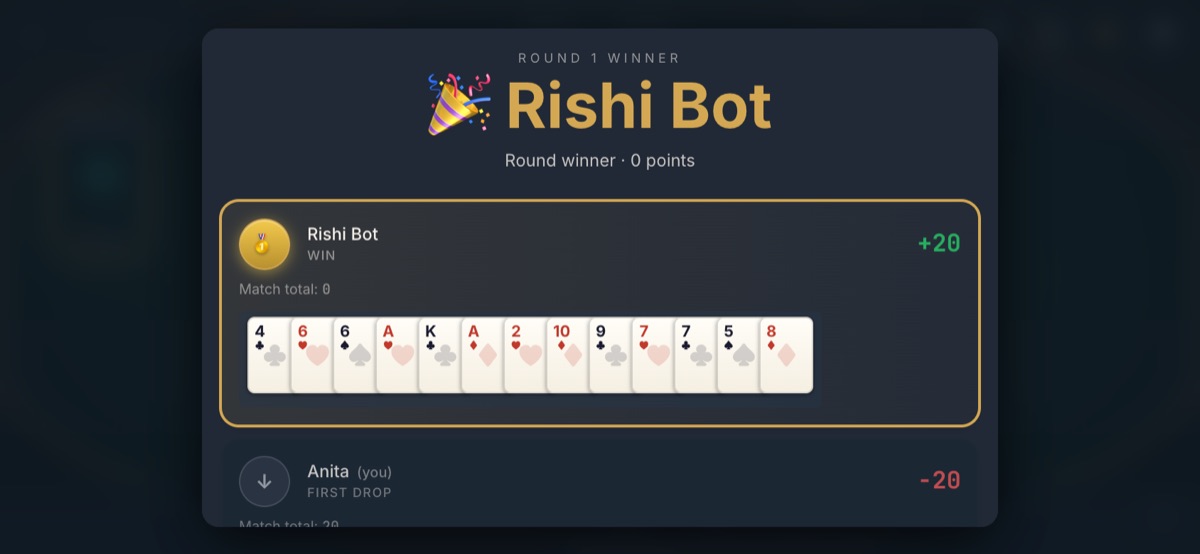
The result screen shows who won, each player's score for the round and the cards involved. Points become chips moving to the winner — score tokens only. The next round deals automatically after a short countdown. Not happy with a starting hand? Before you draw on your first turn you can Drop for 20 points; later in the round a drop costs 40.
Scoring in one minute
- Number cards count their face value; Ace, King, Queen, Jack and 10 count 10; jokers count 0.
- Cards in valid groups count nothing. On RummyDen that is true for a losing hand even without a pure sequence.
- A losing hand is capped at 80 points. A first drop is 20, a middle drop 40, an invalid declaration 80.
The points calculator totals any hand, and rummy scoring explained has worked examples. To keep the rules beside you at the table, print the one-page version.
If something goes wrong
- Your phone locked or you lost signal: open the same room link again in the same browser. If a new round started while you were away, you sit it out with no penalty and are dealt in at the next one.
- A friend cannot get in: check they picked a seat and that you approved it in the lobby.
- The room has closed: rooms close after everyone has been away for a while. Create a new one and share the new link.
No real money — ever
RummyDen is a social card game for friends and family, not a gambling site. Chips are free score tokens: they cannot be bought, sold, won as prizes or withdrawn. More on our responsible play page.
Ready? Create a free private room, or read the full rules and FAQ first.